
For GP practices
Clearer communication.
A better route to care.
Patient communications, websites and digital support that work together around your practice.
Help people find the right information, understand their options and take the next step. Give your team a clearer way to explain how your services work.
Start with what patients need
A clearer route to the right care
Find the right information
Opening hours, appointments and services explained in plain language.
Choose the right route
Clear guidance on when to phone, use an online form or visit.
Reach your team easily
Requests that arrive with the details your team needs to respond.
My Surgery Website is closing
Moving from My Surgery Website?
The provider of My Surgery Website, FPM Group, has announced that the hosting service will be discontinued, with practice agreements ending on 31 March 2027. Every practice using it will need a new home for its website.
We can move your content, keep your patient routes working and use the change to make your site clearer for patients and easier for your team. Start with a free website check.
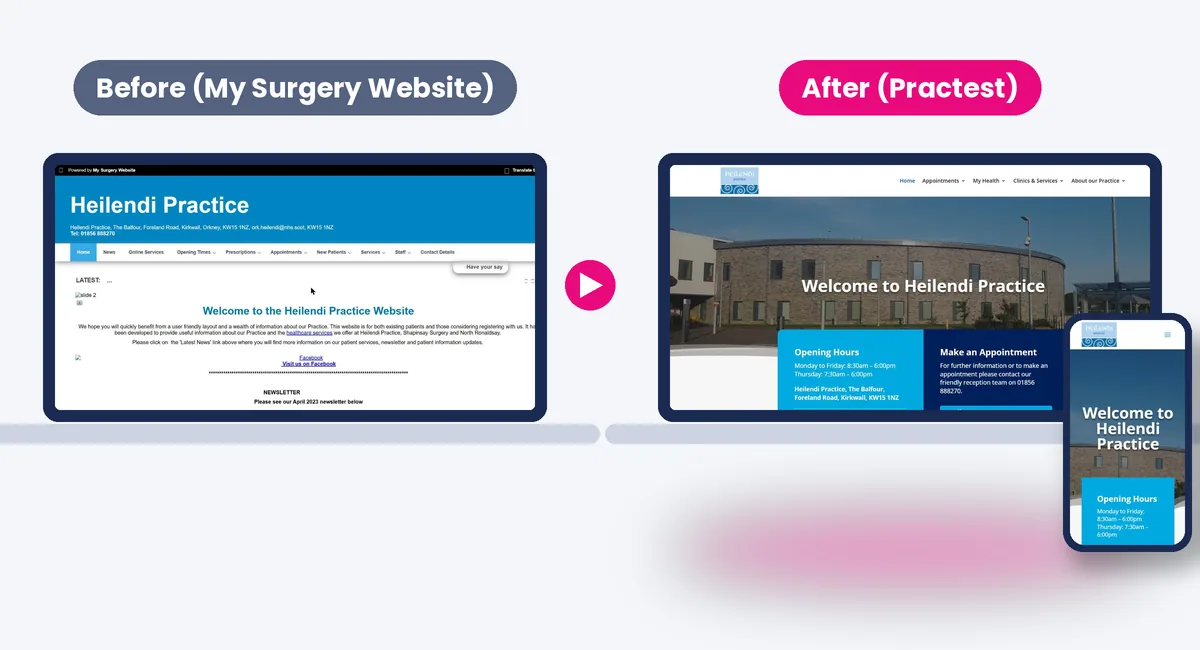
Heilendi Practice: before and after. Left: the practice website on My Surgery Website (archived April 2024). Right: the new website Practest built for the practice.
Start with the patient journey
Make the next step easier to understand.
A patient might arrive from a search, a text message, a social post or a conversation with reception. Each route should lead to consistent information and a clear action.
For your patients
- Find appointment and service information more easily.
- Understand which route to use and what happens next.
- Use digital options with clear instructions and alternatives.
For your practice team
- Keep key messages consistent across your channels.
- Make routine guidance easier to share and maintain.
- Plan improvements around the questions patients actually ask.
How Practest can help
One joined-up approach.
Support where you need it.
Start with a focused improvement or bring several services together. We agree the scope around your practice, your patients and the systems you already use.
Strategy and patient journeys
Review the routes into your practice, identify confusing steps and prioritise changes that make the biggest practical difference.
Patient communications
Clear website content, service updates, campaign messages and social media support. Explain changes in a way patients can understand and staff can use consistently.
Practice websites
Design and maintain a website around common patient tasks, useful service information and clear routes to contact your team.
Digital access and forms
Make the digital tools your practice already uses easier to find and understand. Where a new form is needed, plan its questions, routing and follow-up with your team.
Hosting and ongoing support
Agree the right hosting and maintenance arrangements for your website, alongside the support you need to keep it useful and up to date.
Content and improvement
Review information, update key journeys and use feedback to guide the next round of changes as your practice evolves.
Example practice websites
Different styles.
The same focus on your patients.
Choose a starting point that feels right for your practice. We tailor the content, service routes and digital tools around the people who use them.
Three demonstration websites are available to view. Each uses the same fictional practice and common patient tasks, so you can compare the experience as well as the appearance.
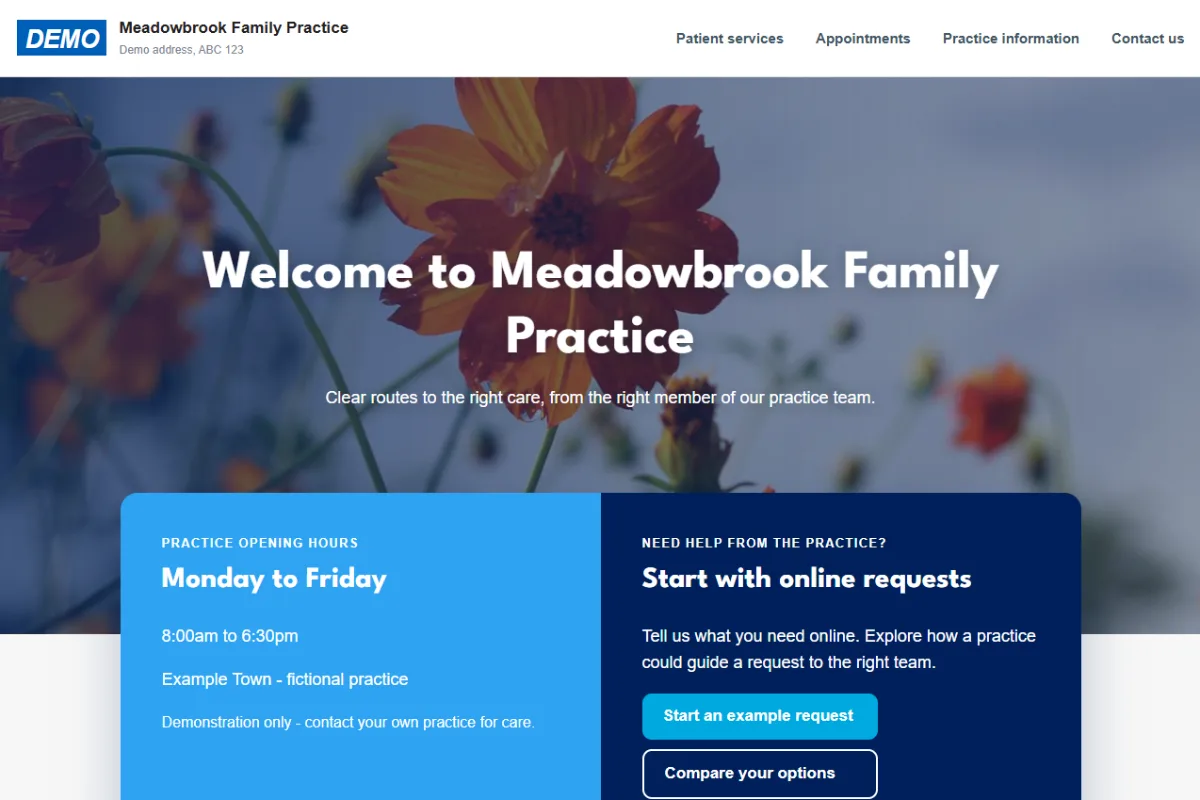
01 / Welcoming
A familiar welcome.
A photographic introduction, rounded cards and prominent opening-hours and contact information. Clear patient tasks lead into explanations of your digital services.
Design focus: a welcoming first impression with practical information close at hand.
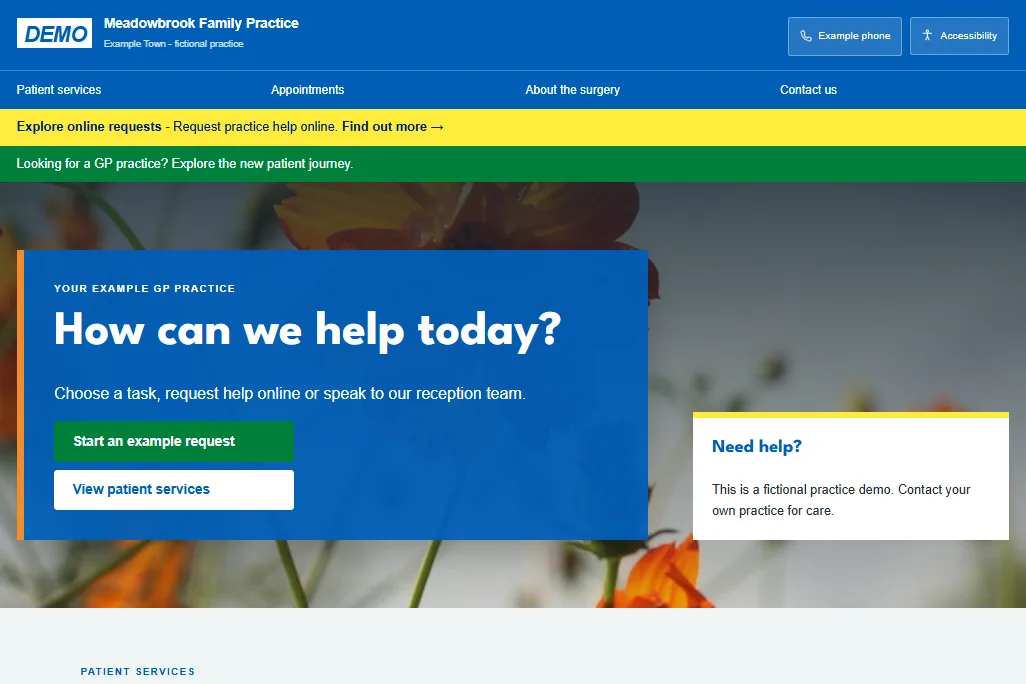
02 / Nightingale-inspired
Clear and familiar.
A blue masthead, square cards, clear navigation and purposeful notices. A structured, task-focused approach with clear routes to everyday practice services.
Design focus: familiar service navigation and a strong visual hierarchy.
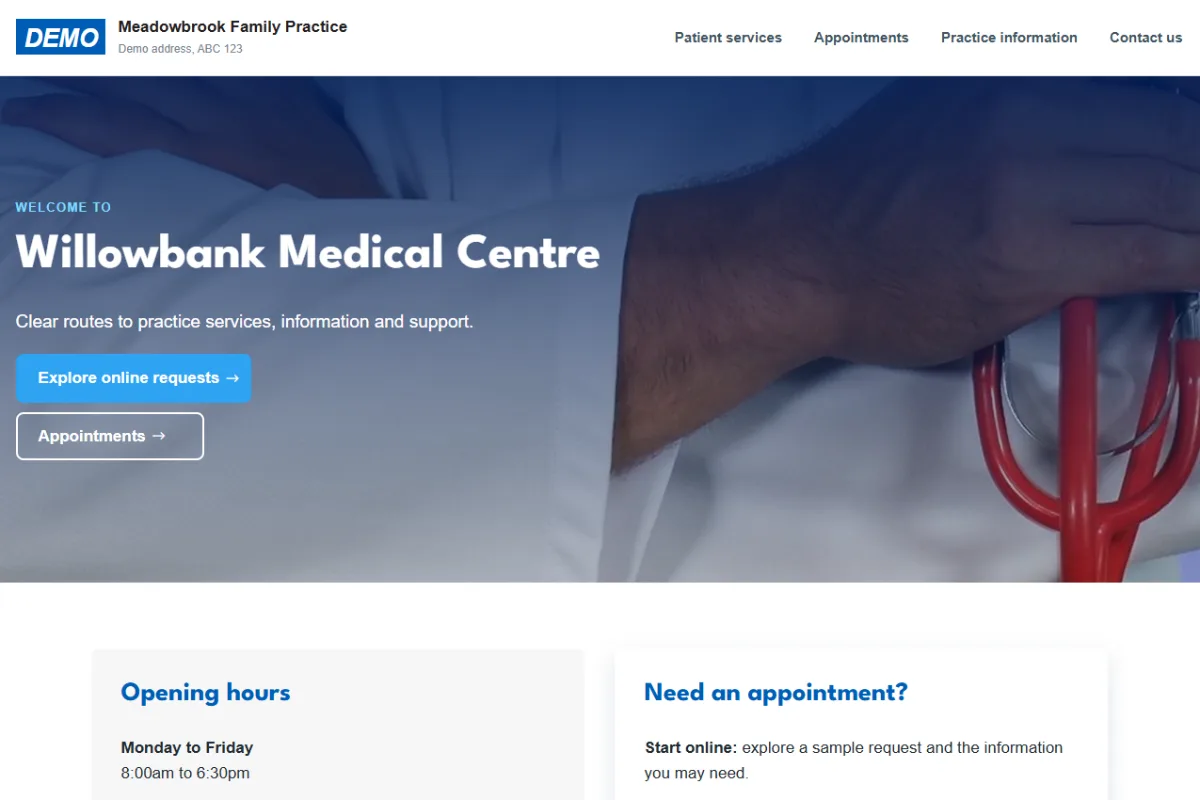
03 / Contemporary
Direct and organised.
A left-aligned introduction, distinct opening-hours and access panels, and compact service cards. A clean structure that makes the next action easy to identify.
Design focus: straightforward routes through practice information and online services.
These are design starting points, not fixed packages. We will help you choose and adapt the approach around your practice.
The Nightingale-inspired option is a Practest demonstration, not an official NHS theme or endorsement.
Digital access
Make your tools part of a clear journey.
Patients should not need to understand your software to know what to do. The website and your communications can explain what a tool is for, who should use it and what response to expect.
Connect the routes you already have
Appointment requests, prescription services and other online tools should sit beside the information patients need to use them. We can help present those routes clearly, using the services available at your practice.
We also keep telephone and other appropriate alternatives visible, so digital access is a choice people can understand.
Build forms around the task
A short, familiar form can work well for a straightforward request. A guided form can break a longer task into manageable steps and show only relevant questions.
Before a form goes live, we agree what it collects, where it goes, who responds and how its data is handled. The design follows that workflow.
Our work / Daisy Villa / Orkney
Daisy Villa Practice
Practical information, organised around everyday patient needs.
Daisy Villa’s website brings appointment information, clinics and services, patient resources and contact details into clear routes from the homepage.
What to look for
- Common patient tasks surfaced on the homepage.
- Clear routes to appointment and practice information.
- Online services alongside telephone and contact details.
The approach is tailored to each practice’s services and community.
Working together
Start with what matters most.
-
Understand your practice
Discuss your patients, current systems and the questions or tasks creating friction.
-
Agree the priorities
Choose the work to tackle first, with a clear scope, responsibilities and approval process.
-
Build, review and test
Develop the content and digital experience, review it with your team and test key journeys before launch.
-
Keep it useful
Agree how content, maintenance and future improvements will be managed after launch.
Questions from practice teams
Before we get started.
Do we need a completely new website?
Not always. We can start by reviewing the website and communications you already have. A focused change may be the right first step; a rebuild makes sense when the current structure is holding you back.
Can you work with our existing digital services?
We start with the tools your practice uses and how patients reach them. Linking and explaining those services is different from connecting their underlying systems. Any technical integration is assessed and scoped separately.
Can you help with communications as well as the website?
Yes. Strategy, patient-facing content, service updates, campaigns and social media can form part of the agreed work.
Can we move routine admin online without changing our clinical system?
Yes. Online forms can run alongside your existing setup and send structured information to your team, so you can start with one or two forms and add more when you are ready. Patients who prefer to phone or visit still can.
Which admin tasks are best to start with?
Usually the high-volume, repetitive ones: fit note requests, repeat prescription requests, annual review questionnaires, new patient registration and document uploads. We help you choose based on what takes your team most time.
How do you approach accessibility?
Our design target is WCAG 2.2 AA. We consider readable content, contrast, keyboard access and layouts that adapt to smaller screens and enlarged text. Accessibility needs testing on the finished site and continued attention as it changes.
Do you provide hosting and support?
Yes. We agree hosting, maintenance and support arrangements as part of the scope. If you already have hosting, we review that setup before recommending a change.
What does it cost?
The cost depends on the work required and the ongoing support you choose. We start with a conversation about your priorities, then set out a proposal with the scope and costs.
Is Practest the same as PractiTest?
No. PractiTest is a software testing tool. Practest is a UK healthcare communications and digital company working with GP practices and healthcare organisations.
Your next step
Tell us where your practice needs support.
A website that is hard to manage? Digital services patients struggle to find? Communications that need a clearer plan?
Tell us about your practice and what you would like to improve.
For practice and organisational enquiries. Please do not include patient information.